CLI Options & Configuration
Parikshan supports execution configuration through Gradle command-line flags on the e2eTest task, convenience short-form arguments, and system properties (-Dparikshan.*).
Configuration Models
- Unified
e2eTestTask (Recommended for multi-target workflows): Accepts task command-line options (--<option>): - Target-Specific Tasks (
e2eDesktopTest,e2eWasmTest,e2eAndroidTest,e2eIosTest): Standard GradleTesttasks that accept JVM system properties and Gradle properties:
Task Command-Line Flags Reference
| Option / Flag | Type | Default | Description | Preferred Syntax (e2eTest) |
Target Task Property |
|---|---|---|---|---|---|
--targets |
String | Configured targets | Comma-separated list of targets (desktop, wasm, android, ios) |
--targets=desktop,wasm |
N/A |
--tests |
String | All tests | Class or method filter pattern | --tests="sample.app.LoginTest" |
--tests="..." |
--video |
Flag | false |
Enables MP4 video recording per test execution (not supported with --sync or --watch) |
--video |
-Dparikshan.video.enabled=true |
--granularity |
String | class |
Video recording granularity (session, run, class, test) |
--granularity=session |
-Dparikshan.video.granularity=... |
--post-roll-ms |
String | 1000 |
Post-roll pause duration in milliseconds before stopping recording | --post-roll-ms=2000 |
-Dparikshan.video.postRollMs=... |
--step-delay-ms |
String | 0 |
Delay in milliseconds inserted after each UI command during test execution | --step-delay-ms=250 |
-Dparikshan.stepDelayMs=... |
--background |
Flag | false |
Runs tests in headless / background mode | --background |
-Dparikshan.background=true |
--layout |
String | default |
Layout presentation mode: default or side-by-side |
--layout=side-by-side |
N/A |
--window-size |
String | Target default | Global window geometry applied uniformly to Desktop and Wasm | --window-size=360x720 |
-Dparikshan.desktop.width=... |
--desktop-window-size |
String | Auto | Desktop-specific window dimensions (<width>x<height>) |
--desktop-window-size=400x800 |
-Dparikshan.desktop.width=... |
--desktop-window-position |
String | Auto | Desktop-specific screen coordinates (<x>,<y> or <x>x<y>) |
--desktop-window-position=10,50 |
N/A |
--wasm-window-size |
String | Auto | Wasm browser window dimensions (<width>x<height>) |
--wasm-window-size=400x800 |
-Dparikshan.wasm.viewport.width=... |
--wasm-window-position |
String | Auto | Wasm browser screen coordinates (<x>,<y> or <x>x<y>) |
--wasm-window-position=420,50 |
N/A |
--app-mode |
Boolean | false |
Launches Web/Wasm in a standalone window (hiding browser navigation toolbar) | --app-mode |
-Dparikshan.wasm.appMode=true |
--keep-alive |
Boolean | false |
Keeps target applications running after tests finish for fast subsequent runs | --keep-alive |
-Dparikshan.keepAlive=true |
--watch |
Boolean | false |
Continuous file watcher daemon re-executing tests on save | --watch |
N/A |
--compile-command |
String | Auto | Shell command used for recompilation in watch mode | --compile-command="./gradlew assemble" |
N/A |
--sync |
Boolean | false |
Executes tests across all targets in synchronized lockstep mode | --sync |
N/A |
--reclaim-ports |
Boolean | false |
Terminates conflicting processes holding communication ports | --reclaim-ports |
-Dparikshan.reclaimPorts=true |
--device |
String | Auto | Target device name, adb serial, or iOS simulator name | --device="iPhone 16" |
-Pparikshan.device="..." |
--android-device |
String | Auto | Android device or emulator serial override | --android-device="emulator-5554" |
-Pparikshan.android.serial="..." |
--ios-device |
String | Auto | iOS simulator name or UDID override | --ios-device="iPhone 16" |
-Pparikshan.ios.device="..." |
Layout, Size & Position Control
Parikshan allows configuring window geometry and desktop placements for Desktop and Web (Wasm) targets.
Side-by-Side Layout
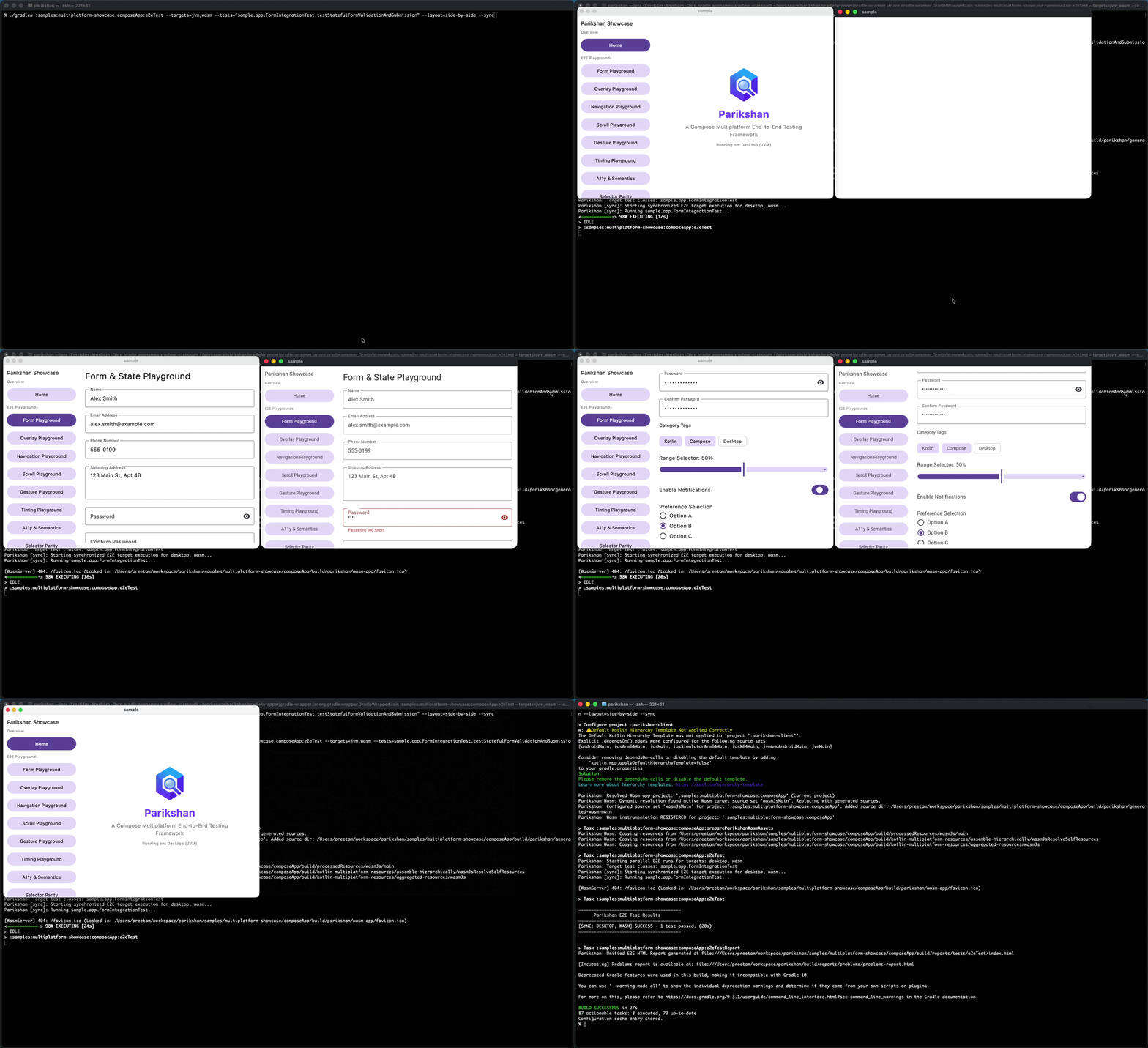
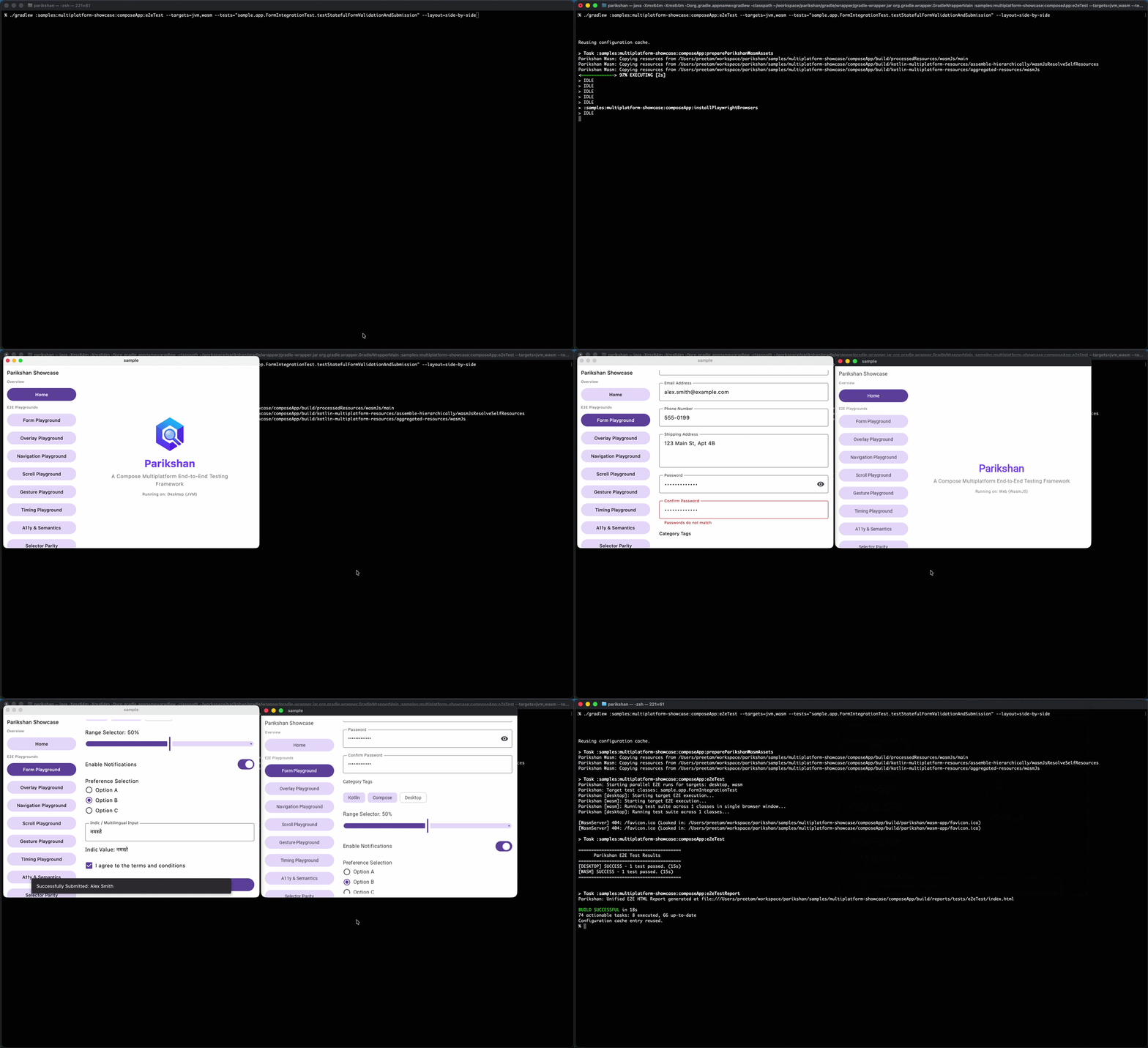
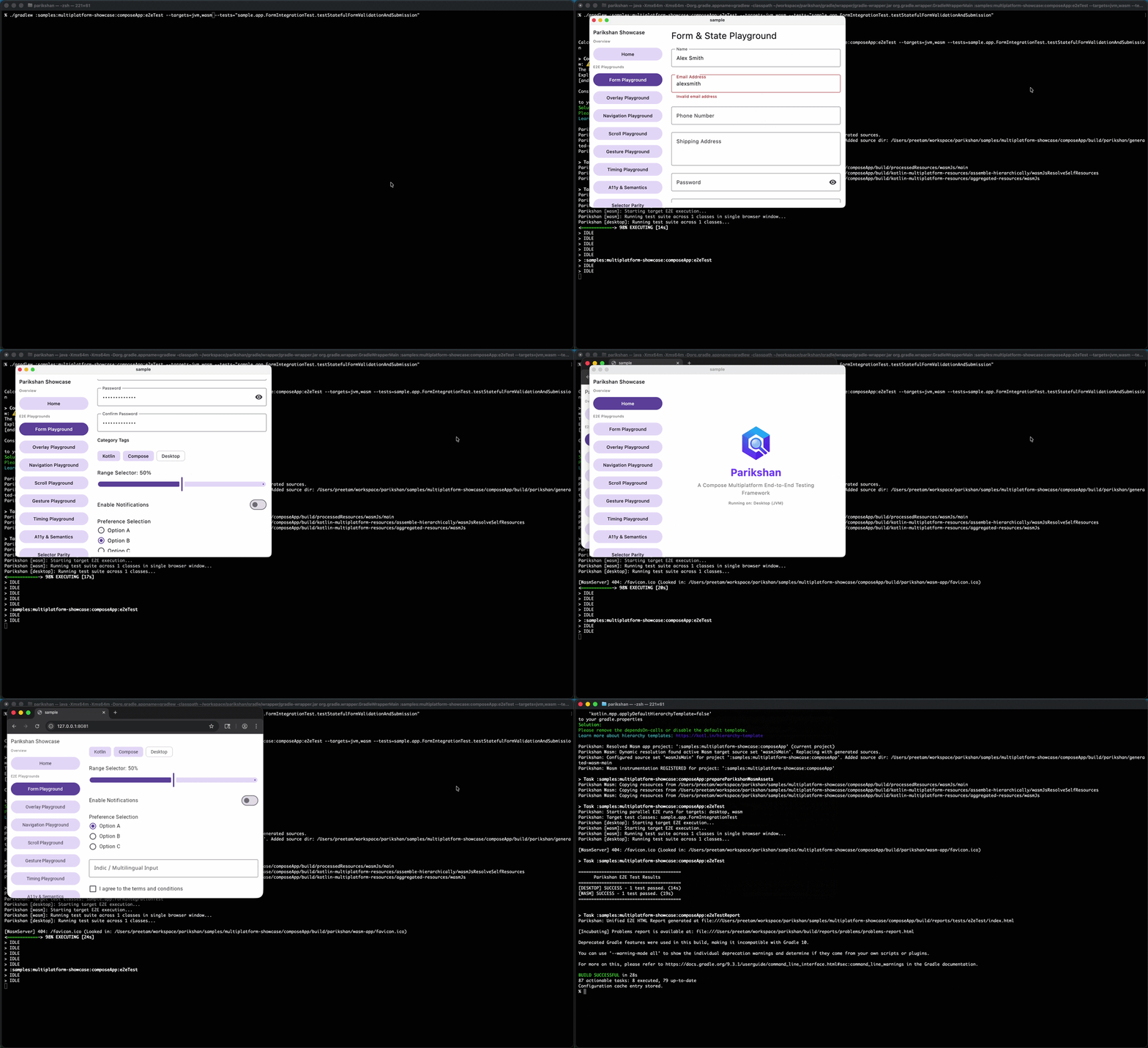
--layout=side-by-side positions Desktop and Wasm windows adjacent to each other on your screen:
./gradlew :samples:multiplatform-showcase:composeApp:e2eTest \
  --targets=jvm,wasm \
  --tests="sample.app.FormIntegrationTest.testStatefulFormValidationAndSubmission" \
  --layout=side-by-side \
  --sync
Standalone Window Mode for Web (--app-mode)
By default, Web (Wasm) launches inside a standard browser window with navigation bars. Adding --app-mode launches Chromium as a standalone application, stripping the URL address bar, tabs, and navigation chrome for a clean application viewport:
# Standard browser window (default)
./gradlew :samples:multiplatform-showcase:composeApp:e2eTest --targets=wasm --tests="sample.app.HomeScreenTest"

# Standalone app window (removes address bar and tabs)
./gradlew :samples:multiplatform-showcase:composeApp:e2eTest --targets=wasm --tests="sample.app.HomeScreenTest" --app-mode
| Standard Browser Window (Default) | Standalone App Window (--app-mode) |
|---|---|
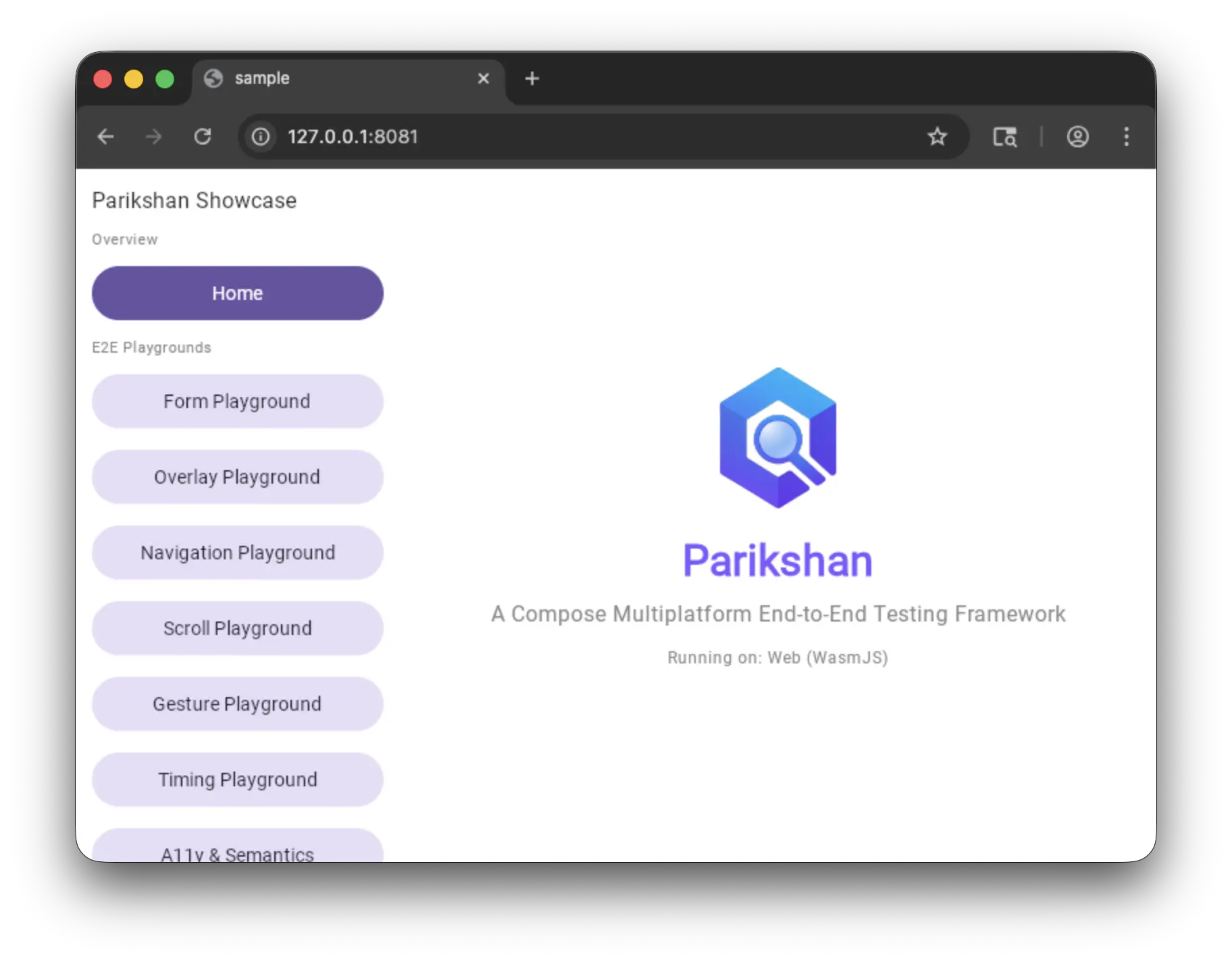
Standard Chromium window with URL address bar, tab strip, and navigation controls. |
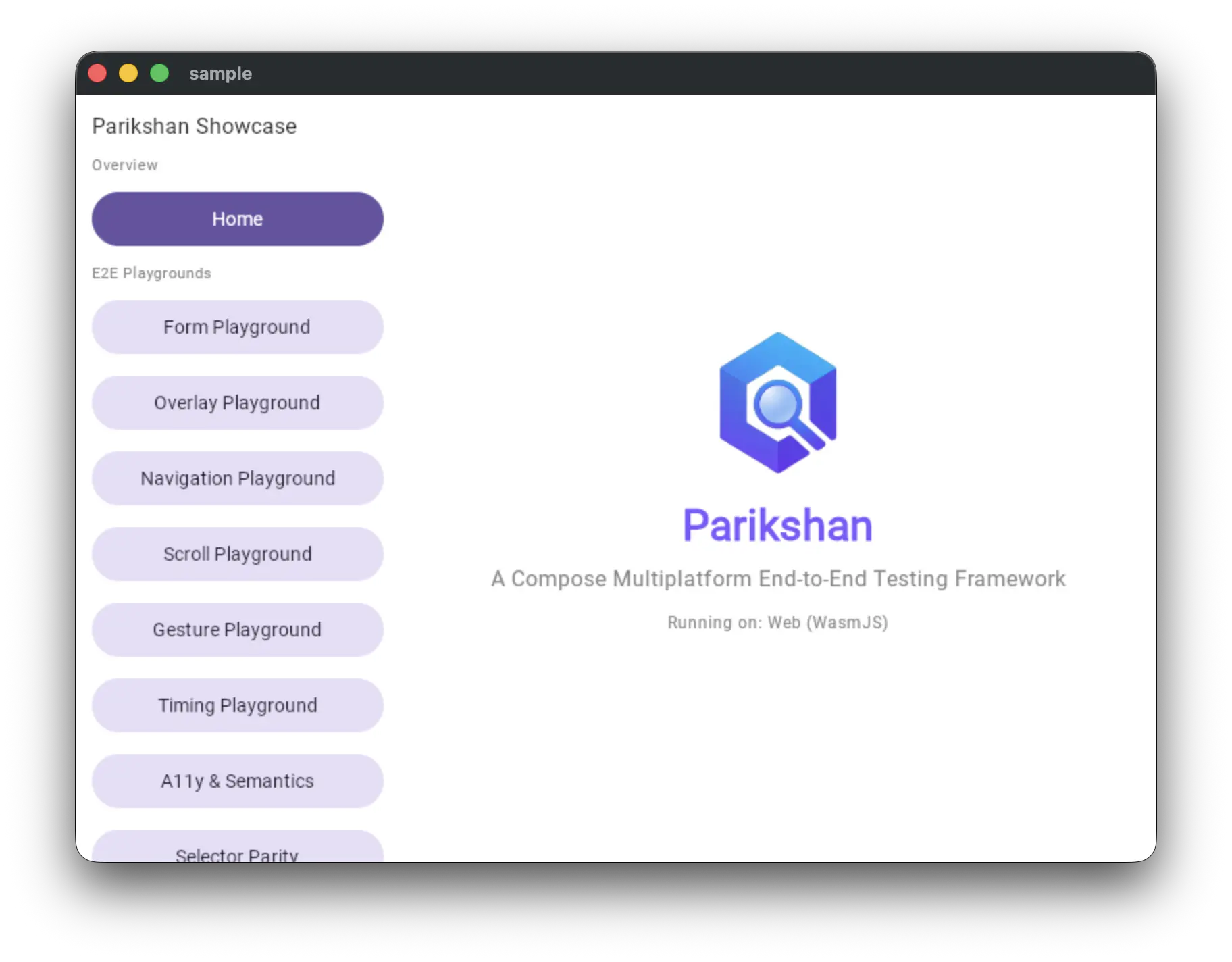
Adding |
Window Dimensions & Positioning
--window-size=<width>x<height>sets dimensions applied uniformly to both Desktop and Wasm targets.- Target-specific options (
--desktop-window-size,--desktop-window-position,--wasm-window-size,--wasm-window-position) override global settings:
# Uniform dimension across Desktop and Wasm
./gradlew e2eTest --targets=desktop,wasm --window-size=360x720

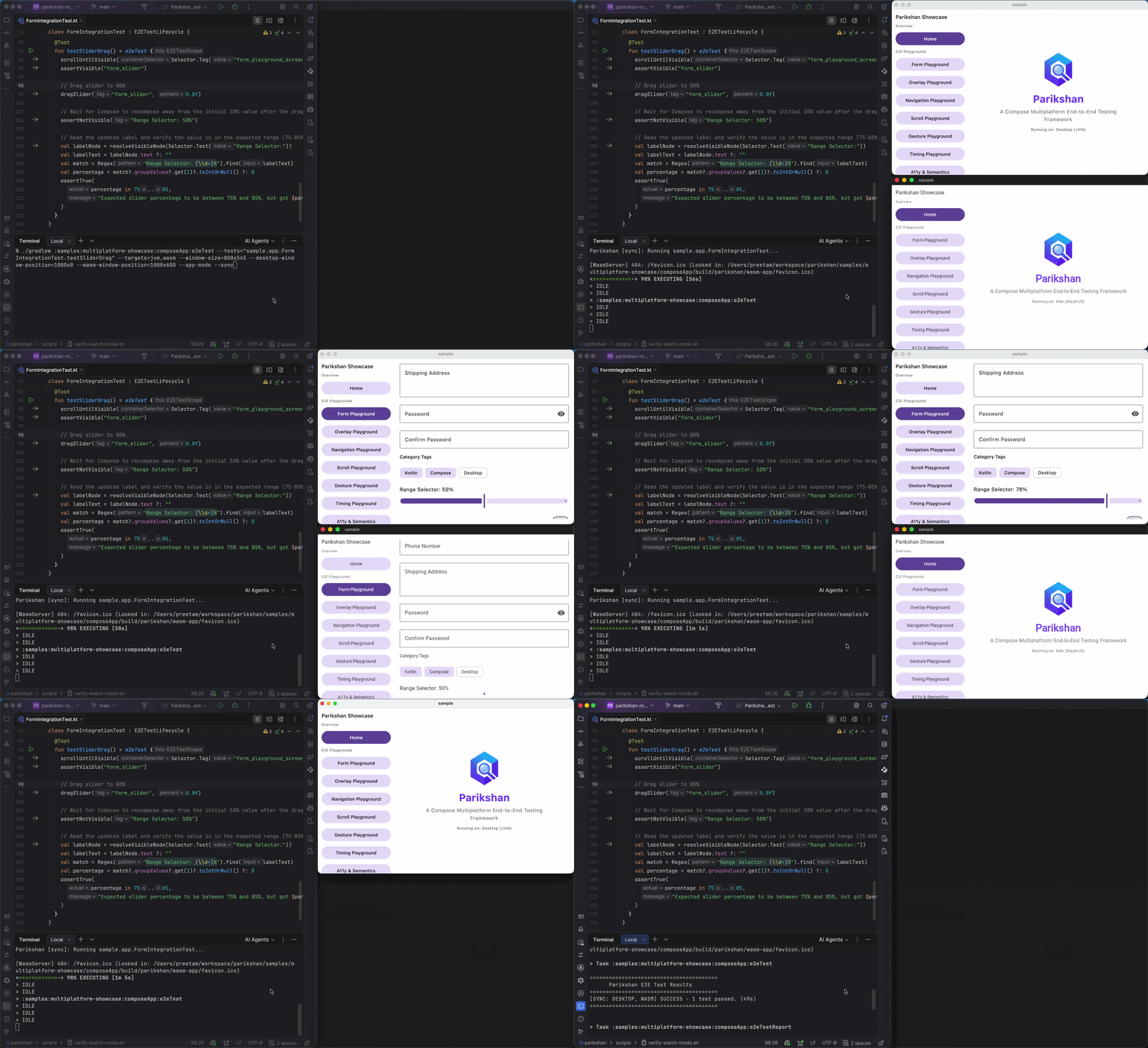
# Target-specific dimensions, explicit screen coordinates, and standalone app mode with sync
./gradlew :samples:multiplatform-showcase:composeApp:e2eTest \
  --tests="sample.app.FormIntegrationTest.testSliderDrag" \
  --targets=jvm,wasm \
  --window-size=800x545 \
  --desktop-window-position=1000x0 \
  --wasm-window-position=1000x600 \
  --app-mode \
  --sync
Synchronized Multi-Target Execution (--sync)
In synchronized mode, Parikshan drives all specified targets concurrently using a step-barrier model. Every command is dispatched to all target drivers in parallel, and the test runner waits for all targets to finish before advancing to the next step.
Note
Video recording is currently not supported during synchronized multi-target (--sync) execution. Video recording remains fully supported for standard multi-target runs (e2eTest --targets=desktop,wasm) and individual target tasks.
Target Scoping
Synchronized mode is designed for focused cross-platform verification during development. Run --sync against a single test scenario:
Continuous Watch Mode (--watch)
Watch mode monitors project source files and re-executes tests automatically when changes are saved, keeping application instances alive across runs.
./gradlew :samples:multiplatform-showcase:composeApp:e2eTest \
  --targets=jvm,wasm \
  --tests="sample.app.AccessibilityIntegrationTest.testSubtextMatching" \
  --desktop-window-position=1070x0 \
  --app-mode \
  --layout=side-by-side \
  --window-size=360x720 \
  --watch
How Watch Mode Works (TDD Cycle)
The video demonstrates the continuous feedback loop:
- Initial Run (Pass): Parikshan boots the target applications, docks them according to layout flags (e.g. side-by-side in
--app-mode), and executes the baseline test pass. Application windows remain active. - Code Edit (Fail): Changing source or test code (e.g. updating an assertion or UI component) triggers an automatic background compile upon saving. Tests re-execute immediately without relaunching applications, showing failure feedback in the terminal.
- Correction (Pass): Restoring or fixing the code and saving triggers an instant re-run (~1–2 seconds), turning the suite green.
Termination & Multi-Target Sync
- Exiting Watch Mode: Terminate watch mode at any time using
Ctrl + Cin your terminal, or by manually closing any running application window (Desktop or browser window). Parikshan detects window closure and terminates the daemon cleanly. - Synchronized Watch (
--sync --watch): When--syncis combined with--watch, all targets run in step-barrier lockstep on every re-trigger, waiting for each command to complete across all platforms before advancing.
Note
Video recording is not supported in continuous watch mode (--watch).
Target Scoping
Use watch mode for rapid TDD iterations targeting a single test scenario:
Behavior & Mechanics
- Automatic Session Preservation:
--watchautomatically enables--keep-aliveinternally so application instances remain open across test runs. - Debounced Monitoring: Prevents multiple test executions on rapid file saves.
- Compiler Error Resilience: If a code change causes compilation errors, watch mode displays the compiler output and waits for the next edit without terminating.
- Clean Termination: Closing any application window exits watch mode cleanly.
Automated Verification Script
To verify or automate continuous watch runs in a local shell or CI sandbox, run scripts/verify-watch-mode.sh:
Synchronized Watch Mode (--sync --watch)
Combine --sync, --watch, and layout options for live, multi-platform feedback while editing code or tests:
./gradlew e2eTest \
  --targets=desktop,wasm \
  --sync \
  --watch \
  --layout=side-by-side \
  --app-mode \
  --tests="sample.app.LoginTest"
To run automated verification for synchronized watch mode:
Fast Manual Iterations (--keep-alive)
--keep-alive is a standalone option for single-shot test runs that leaves the target application running after tests complete:
- How it works: Parikshan saves active session metadata (ports and tokens) to
build/parikshan/active-session.json. On subsequent manual executions, Parikshan reuses the active running application, bypassing build and startup overhead for ~1–2 second re-runs. - Difference from
--watch:--keep-aliveexecutes once and waits for manual re-execution (via IDE run configurations or terminal shortcuts), whereas--watchcontinuously monitors files and re-runs tests automatically. Passing--watchautomatically enables--keep-alive.
Device & Simulator Selection
Parikshan manages device connections and simulator lifecycles automatically:
# Target Android device by adb serial
./gradlew e2eTest --targets=android --android-device="emulator-5554"

# Target iOS simulator by name or UDID
./gradlew e2eTest --targets=ios --ios-device="iPhone 16 Pro"

# Unified device selector
./gradlew e2eTest --targets=android,ios --device="emulator-5554"
Auto-Booting & Host Platform Behavior
- Automatic iOS Simulator Booting: When targeting iOS on macOS, if the requested or default simulator is powered off, Parikshan boots it (
xcrun simctl boot), opens the Simulator window (open -a Simulator), installs the application, and connects. - Single Device Discovery: If exactly one Android device or emulator is connected, Parikshan selects it automatically. If multiple devices are connected, Parikshan prompts for disambiguation via
--android-device=<serial>or--device=<serial>. - Cross-Platform Host Safety: On non-macOS hosts (Linux/Windows) or Intel Mac architectures, iOS test execution is skipped with a lifecycle message, allowing remaining targets (Desktop, Wasm, Android) to proceed.
System Properties (-Dparikshan.*)
System properties configure low-level runtime behavior and video recording parameters across all tasks:
Execution & Timing Options
| System Property | Type | Default | Description |
|---|---|---|---|
parikshan.stepDelayMs |
Long | 0 |
Delay in milliseconds inserted after each UI command across all targets (0..5000 ms) |
Video Recording Options
| System Property | Type | Default | Description |
|---|---|---|---|
parikshan.video.enabled |
Boolean | false |
Enables MP4 video recording per test execution |
parikshan.video.outputDir |
String | build/parikshan/videos |
Target directory where generated MP4 videos are saved |
parikshan.video.fps |
Int | 10 |
Frame rate for encoded video capture (1..30) |
parikshan.video.showCursor |
Boolean | true |
Renders a virtual cursor overlay in recorded videos |
parikshan.video.granularity |
String | class |
Recording lifecycle scope: session/run (one video for entire run), class (one per test class), or test (one per method) |
parikshan.video.postRollMs |
Long | 1000 |
Post-roll pause duration before closing video capture (0..10000 ms) |
parikshan.video.width |
Int | Auto | Target video frame width in pixels (100..3840) |
parikshan.video.height |
Int | Auto | Target video frame height in pixels (100..2160) |
parikshan.video.deviceScaleFactor |
Double | Auto | Optional device scale factor/DPR (0.0..4.0) |