Supporting Window Layouts (Size, Position), Sync, and Watch Mode
Parikshan 0.0.8 adds runtime window layout and sizing controls, synchronized multi-target execution (--sync), continuous watch mode (--watch), and fixes several community-reported edge cases.
Here is a breakdown of why these features were built, how they work, and what is coming next.
Window Sizing & Screen Positioning
The Problem
When running tests during active development, Desktop JVM and Web (WasmJs) windows default to opening in the center of the screen, covering the IDE or terminal. Additionally, testing how an application renders on mobile viewports previously required booting up heavy Android emulators or iOS simulators rather than simply resizing Desktop or Web windows to mobile dimensions.
The Solution
Parikshan 0.0.8 introduces direct CLI options to control window geometry and screen placement:
- Uniform Sizing:
--window-size=<width>x<height>resizes both Desktop and Web viewports (for example,--window-size=360x720for mobile testing). - Target-Specific Overrides:
--desktop-window-size,--desktop-window-position,--wasm-window-size, and--wasm-window-positiongive granular control over individual targets. - Side-by-Side Mode:
--layout=side-by-sideautomatically tiles Desktop and Web windows neatly next to each other and enables standalone app mode (hiding browser navigation bars for Wasm).
# Custom dimensions, explicit screen coordinates, and standalone app mode
./gradlew :samples:multiplatform-showcase:composeApp:e2eTest \
  --tests="sample.app.FormIntegrationTest.testSliderDrag" \
  --targets=jvm,wasm \
  --window-size=800x545 \
  --desktop-window-position=1000x0 \
  --wasm-window-position=1000x600 \
  --app-mode \
  --sync
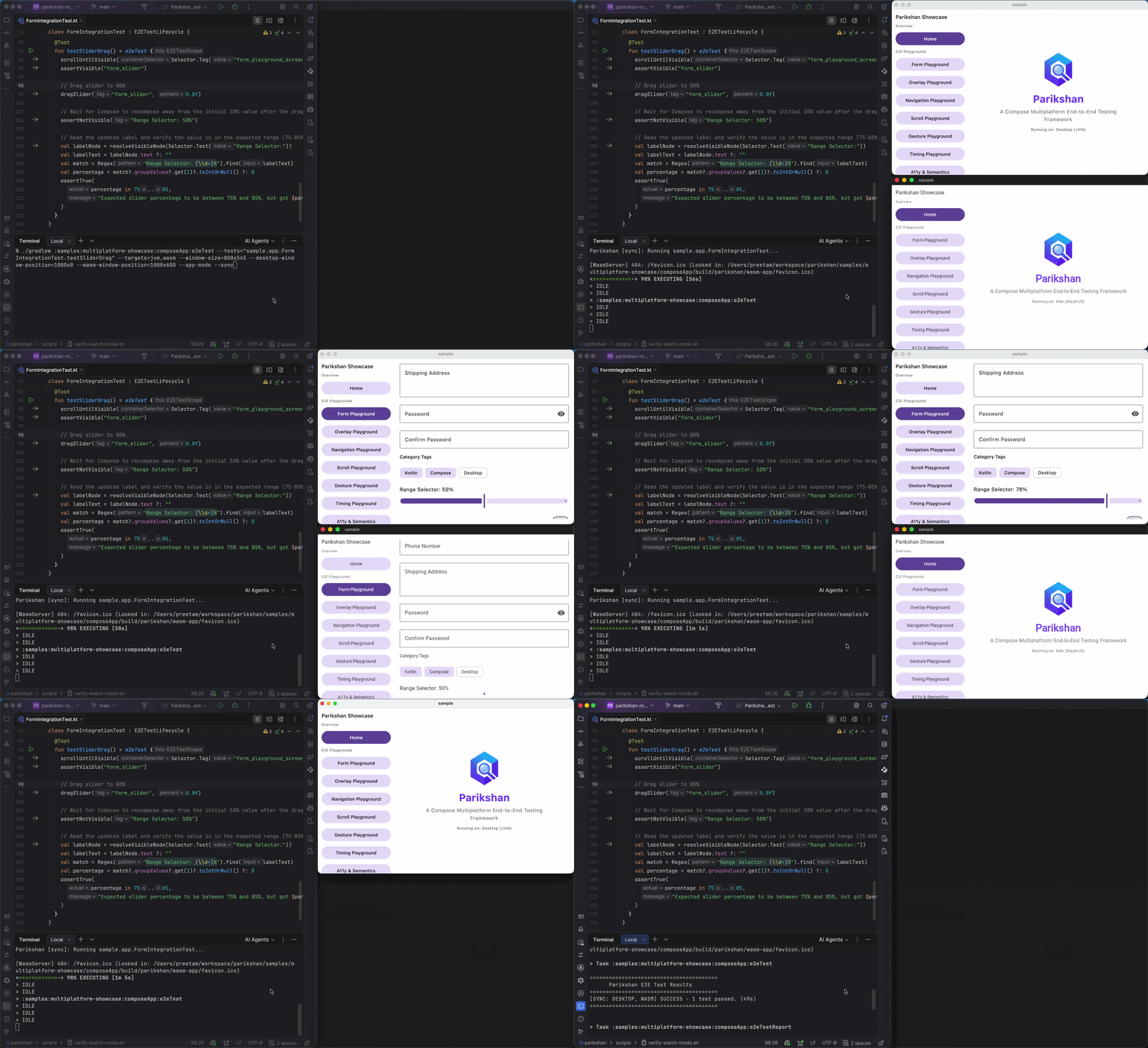
(Note: Window sizing and screen positioning options apply to Desktop JVM and Web WasmJs targets).
Synchronized Multi-Target Execution (--sync)
The Problem
When testing across Android, iOS, Desktop, and Wasm concurrently, targets execute at different speeds. Desktop JVM tests often finish in 2 to 3 seconds, while mobile simulators take longer to process UI animations. If you want to visually observe how a UI flow, gesture, or animation behaves across all four platforms at the exact same moment, standard asynchronous execution creates friction.
The Solution
Passing --sync enables a step-barrier lockstep engine. Every test command (click, input, drag) is dispatched to all active targets in parallel, and the test runner waits for all target instances to complete the current step before advancing to the next:
./gradlew :samples:multiplatform-showcase:composeApp:e2eTest \
  --targets=jvm,wasm \
  --tests="sample.app.FormIntegrationTest.testStatefulFormValidationAndSubmission" \
  --layout=side-by-side \
  --sync
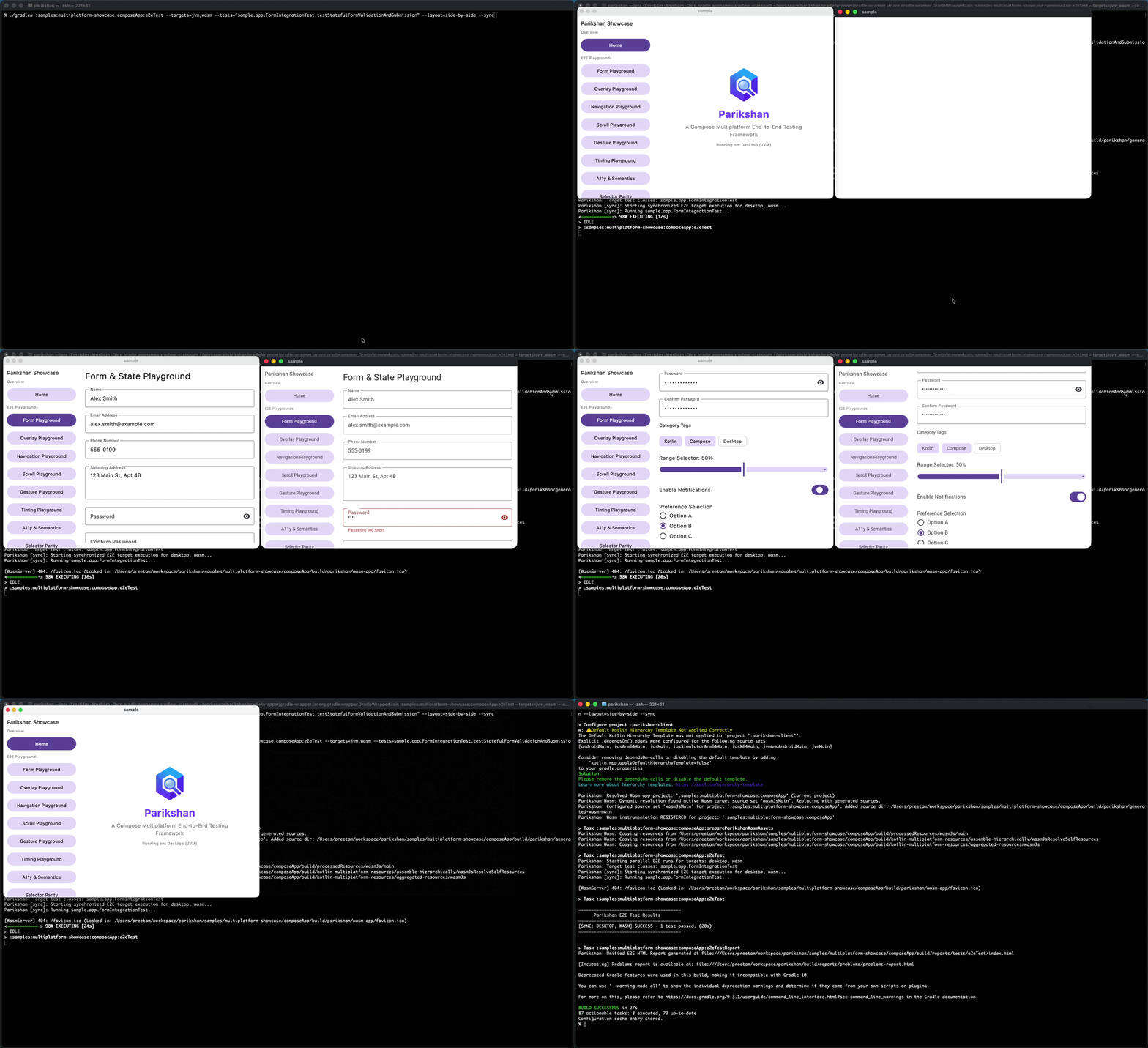
This guarantees visual parity during development and makes cross-platform UI differences immediately obvious.
Continuous Watch Mode (--watch) & Keep-Alive (--keep-alive)
The Problem
Re-running Gradle test tasks manually after every 1-line UI tweak or assertion edit introduces build overhead, compilation latency, and constant context switching.
The Solution
- Watch Mode (
--watch): Starts a background file watcher that monitors project source directories and re-executes tests automatically upon file save. If a code change introduces a compiler error, watch mode displays the error in the console and waits for the next edit without terminating. - Keep-Alive Engine (
--keep-alive): Preserves active application instances and server connections across test runs. On subsequent runs, Parikshan reuses the running app instance, dropping re-run execution time to ~1–2 seconds.
./gradlew :samples:multiplatform-showcase:composeApp:e2eTest \
  --targets=jvm,wasm \
  --tests="sample.app.AccessibilityIntegrationTest.testSubtextMatching" \
  --desktop-window-position=1070x0 \
  --app-mode \
  --layout=side-by-side \
  --window-size=360x720 \
  --watch
How Watch Mode Works
The video demonstrates the continuous feedback loop in action:
- Initial Run (Pass): Applications boot side-by-side in
--app-mode, and the baseline test passes. Application windows remain active. - Code Edit (Fail): Changing code (e.g. altering an expected subtext string or assertion) triggers an automatic background recompilation upon saving. Tests re-execute immediately without relaunching the apps, displaying failure feedback in the terminal.
- Correction (Pass): Fixing the code and saving triggers an instant re-run in ~1–2 seconds, turning the test suite green.
Termination & Synchronized Watch
- Exiting Watch Mode: Terminate watch mode at any time using
Ctrl + Cin your terminal, or by manually closing any active application window (Desktop or browser window) — Parikshan detects window closure and terminates cleanly. - Synchronized Watch (
--sync --watch): When combined with--sync, all targets execute each UI command in lockstep on every file save, waiting for each step to finish across all targets before advancing.
To automate or verify watch mode executions in headless or CI environments, refer to the scripts/verify-watch-mode.sh script.
Community Bug Fixes
We want to thank the community members who reported edge cases and helped make Parikshan more robust:
- Issue #10 (iOS Focus & Input Safety): Fixed iOS text input focus crashes on un-tagged input fields by adding parent label text fallback and KVC input safety.
- Issues #12 & #13 (Mobile-Only KMP Support): Resolved plugin configuration failures on mobile-only KMP projects lacking explicit Desktop/JVM targets, and added safe host test task resolution for
com.android.kotlin.multiplatform.librarymodules. - Issue #15 (Configuration Cache & Lazy Tasks): Refactored test tasks to use Gradle
TaskProviderAPIs, deferring Android application ID and iOS bundle ID extraction to ensure 100% Gradle Configuration Cache compatibility. - Issue #16 (Host Unit Test Safety): Prevented false-positive test passes by ignoring
e2eTestblocks when standard non-E2E host unit test tasks (such astestAndroidHostTest) are executed.
What's Next
The next milestones on our roadmap include:
- Multi-Instance Testing: Launching and controlling multiple window instances of the same application (e.g., testing multi-user messaging and collaborative workflows).
- Multi-Target Interaction: Cross-platform interactive tests where different targets (e.g., Desktop client and Web/Mobile client) communicate and interact within a single test block.
- Wasm Stability & Display Scaling: Standardizing Wasm canvas viewport rendering across all host display scaling, resolutions, and headless CI runners.
- IDE Gutter Integration: An IntelliJ IDEA and Android Studio plugin enabling direct test execution from editor gutter icons.
Getting Started
To get started with Parikshan in your project, follow the Your First Test guide or visit the Quickstart Guide. If you encounter issues or have suggestions, please open an issue on GitHub.